
Overview
The Partner Portal is where law firms and the Broughton Partners team follow mass-tort marketing campaigns. Orders, signed retainers, case status and support requests all live there. The idea was simple: one place where a firm can see how the marketing done on its behalf is performing.
The product worked, but the interface was getting old. Partners trusted the numbers but still emailed support to understand them.
The problem
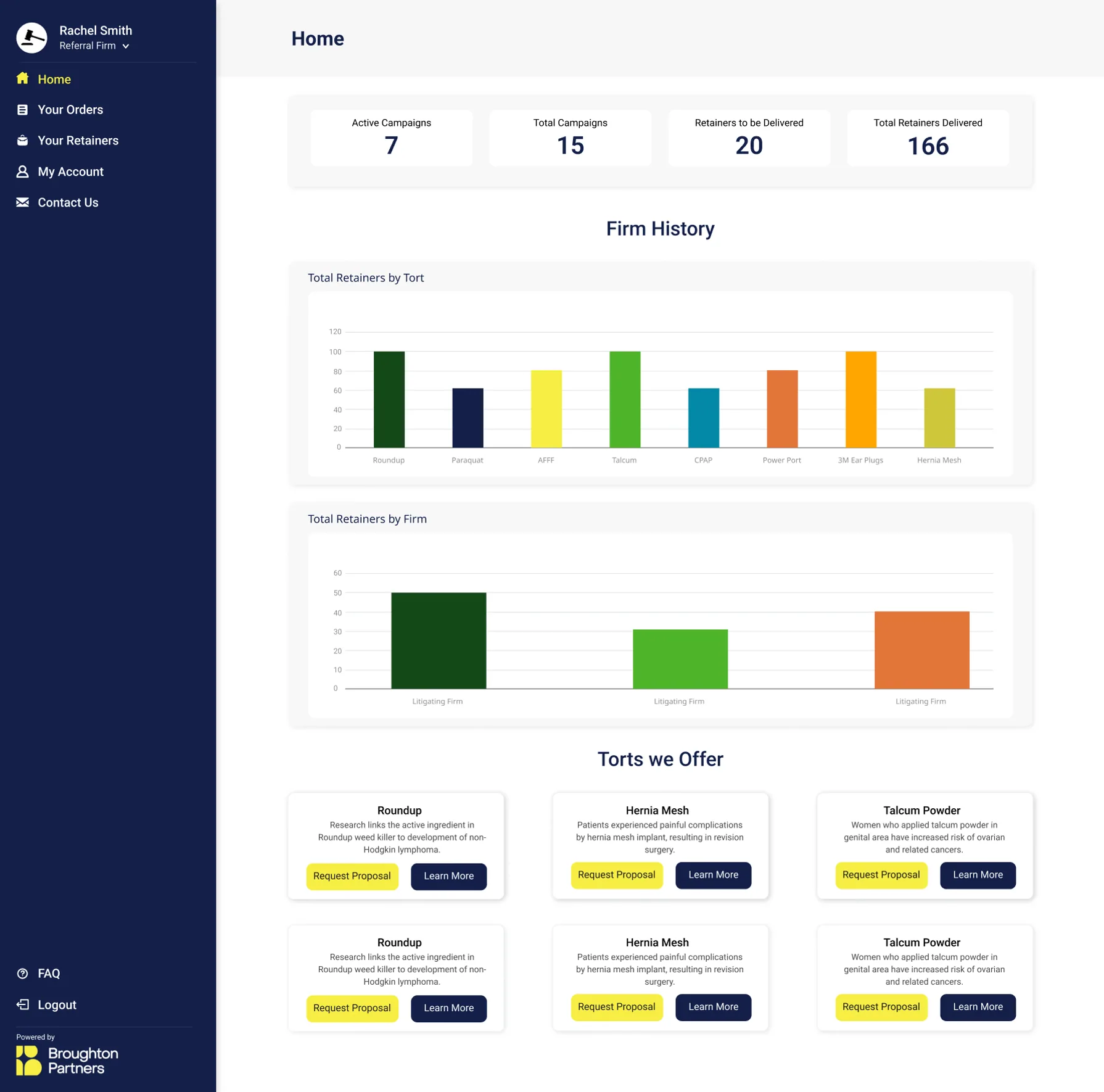
- The UI was outdated and important information was hidden in the retainer details, the summary modal and the replacement screens.
- The dashboard was confusing. New users couldn’t read it and experienced users weren’t getting much out of the charts.
- There was no way to comment on support tickets and no status updates, so firms only checked the portal when they remembered.
- Tables showed everything at once, there was no search by injured party and no way to preview documents.
- Everyone saw the same screens, from solo attorneys to investors who should never see claimant data.
- Replacements, contact assistance and disengagements were handled by email and phone because the portal had no flow for them.
Who uses it
We created ten personas and they ended up in four groups, each one with a very different job to do.
-
Referring partners
Solo attorneys and partners at law firms. They don’t have much time, so they want case status, alerts and campaign progress at a glance.
-
Support staff
Paralegals, assistants and intake coordinators. They live in the portal, so they need fast search, comments on cases and documents they can preview.
-
Non-lawyer investors
Business owners funding a campaign. They need pacing and injury mix. Never claimant PII or legal jargon.
-
Internal team
Account managers, sales reps and claimant services. They need to see what’s going on in each account and a proper ticketing tool instead of an inbox.
Design system
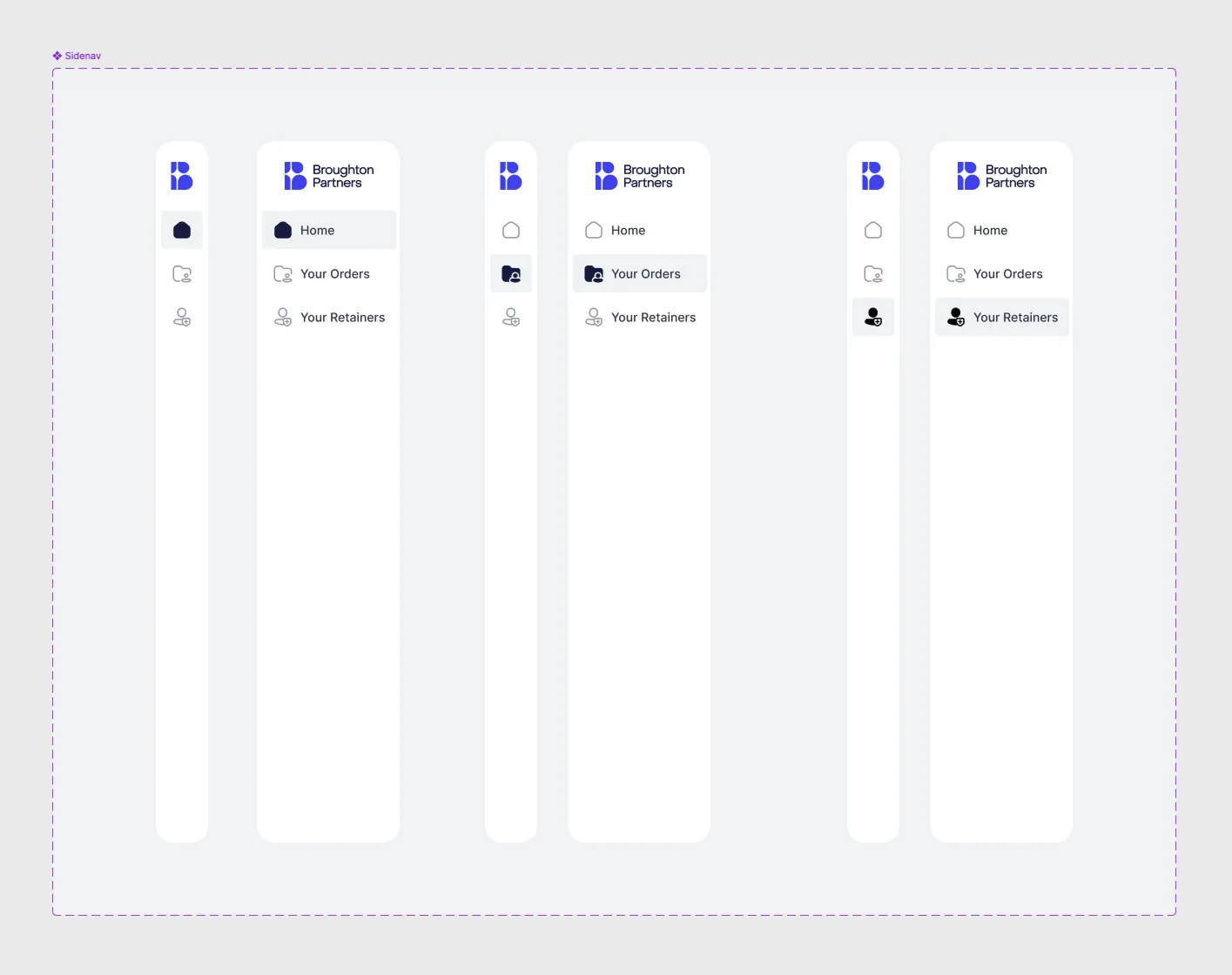
The first phase was to redesign what was already there without changing how it worked, and that started with the foundation. We went with Flowbite, an open source design system built on Tailwind CSS. Its components match the code the developers were already writing, so what we designed in Figma was pretty much what got shipped.
Out of the box it looks like every other Tailwind product, so we customised it:
- Colours, typography, spacing and radius set as variables, using the same names in Figma and in the Tailwind config.
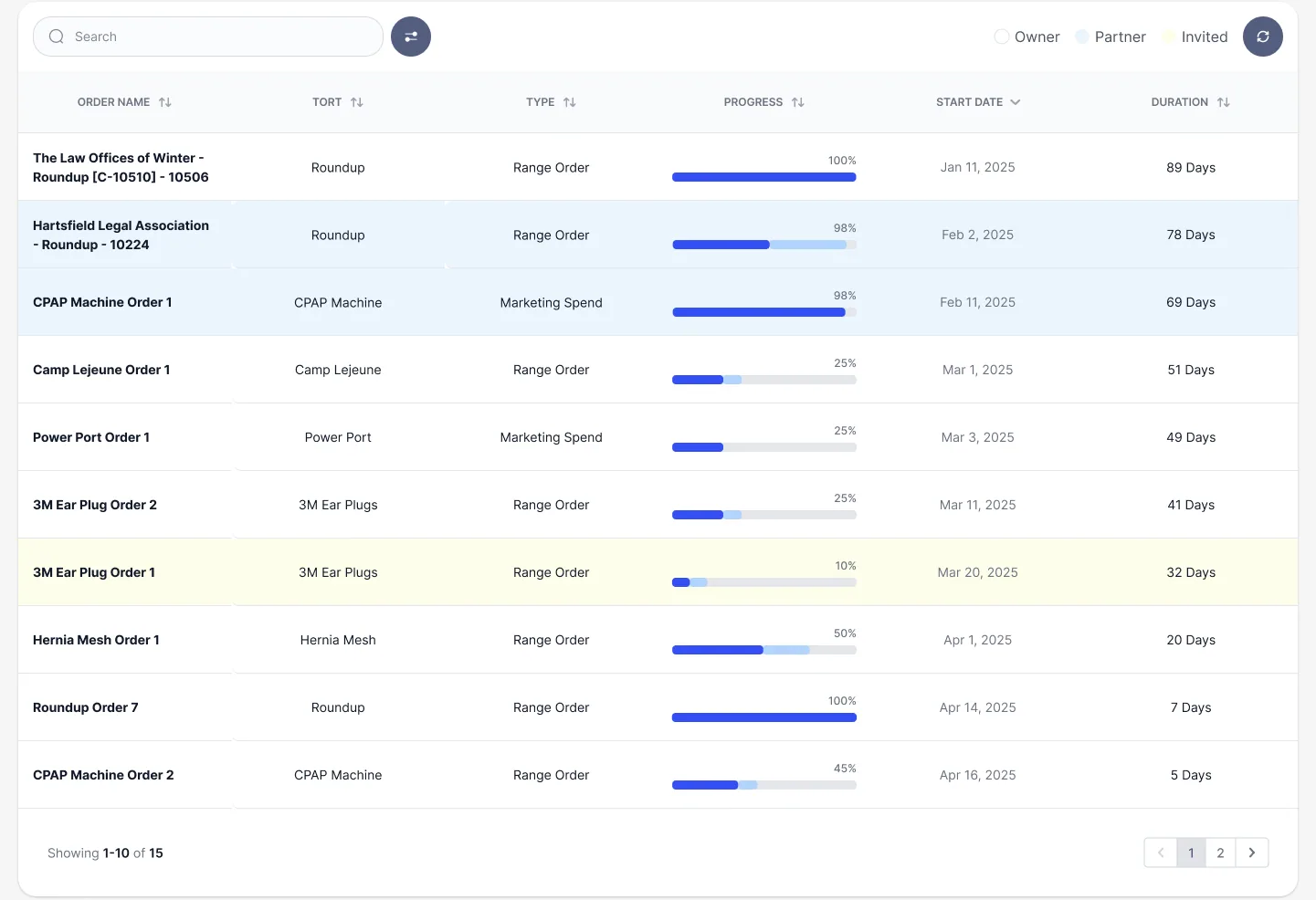
- One set of badges for retainer, litigation and ticket status, so “Active”, “At risk” or “Settled” look the same everywhere.
- Data components for the campaign numbers: KPI cards with trends, donut and bar charts, progress and pacing bars.
- Table patterns like sortable headers, filters, copy buttons, tooltips and pagination.
- Toasts, modals, dropdowns and empty states, so new features could be put together from existing pieces instead of designed from scratch.
User interviews
Before adding anything new we wanted to know if the current functionality was working for the people using it. I emailed partners, invited them to 15 minute sessions on Maze and recorded every one. The script was built around three questions: what’s confusing, what’s missing and what would you do here if you could.
“It didn’t give me any insight. Sure, I have numbers, but why did five not move, or why did one sit at the intake desk for six days?”
“I breeze over [the highlights]… when it’s not broken down, it’s almost irrelevant.”
Every quote turned into an insight, an action point and sometimes a question for the team. A few things came up again and again:
- Numbers without context don’t help. They wanted funnels, timestamps for each step and tooltips explaining a bad number.
- Campaign progress should be on the home page, with cases acquired and cases left to go.
- They wanted to see injury mix and geography without exporting everything to a spreadsheet.
- Tables with fewer columns by default, and the option to add or hide the rest.
- A data room for agreements, contracts and criteria that you can download in one go.
- A real conversation on support tickets, keeping the reason for each replacement on record.
User journeys
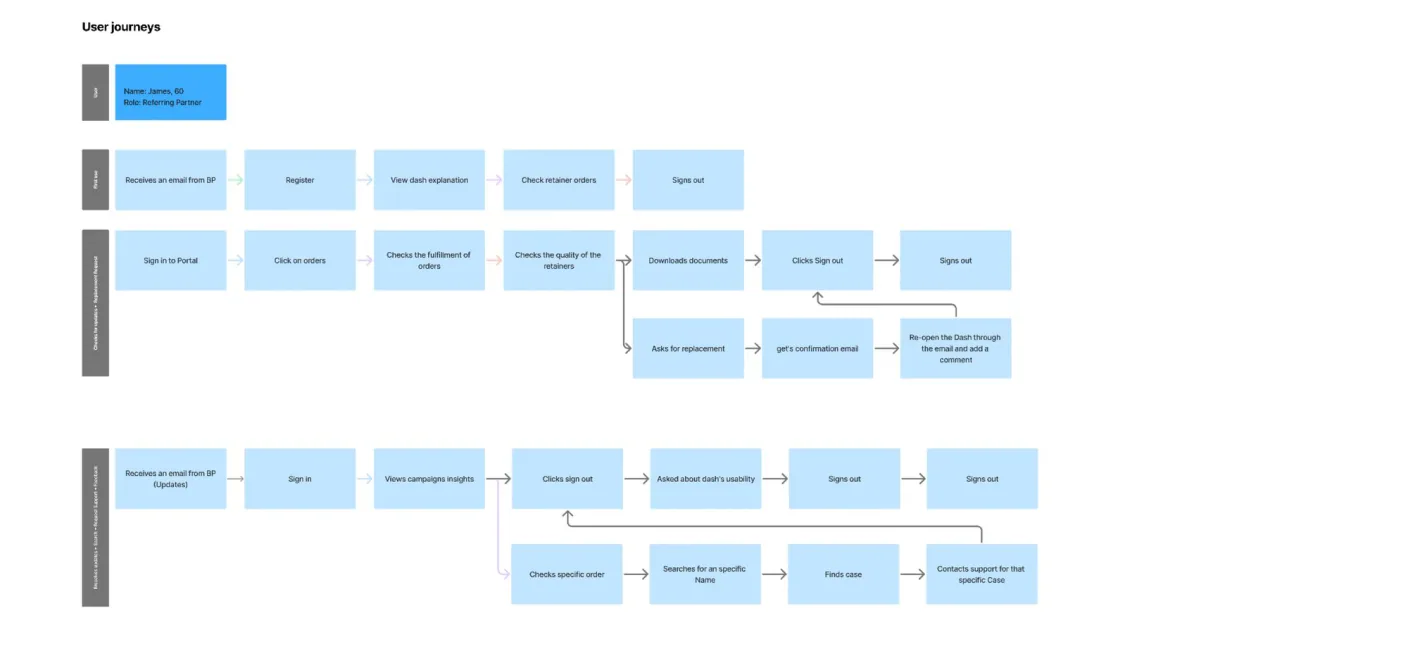
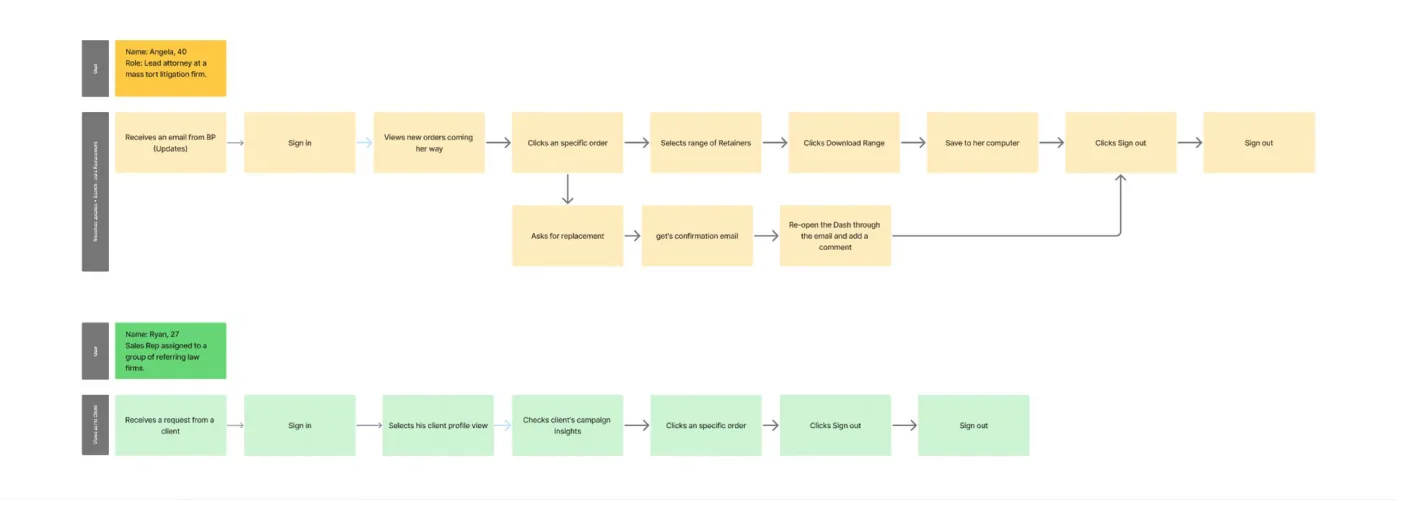
We mapped the main journeys: first use, checking orders and asking for a replacement, and searching for a case and contacting support. It showed exactly where users were leaving the portal to go back to their inbox.
The redesign
Dashboards
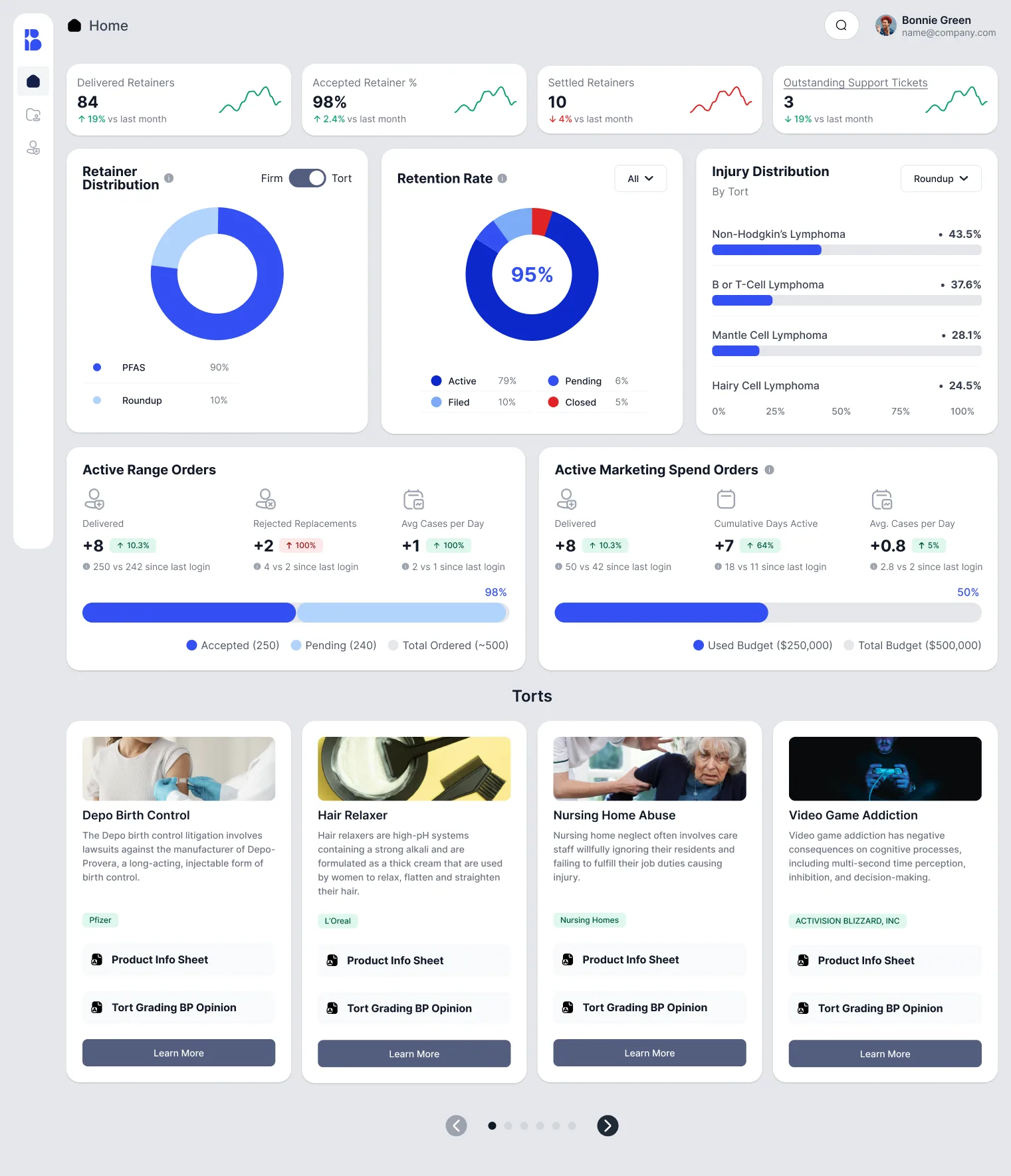
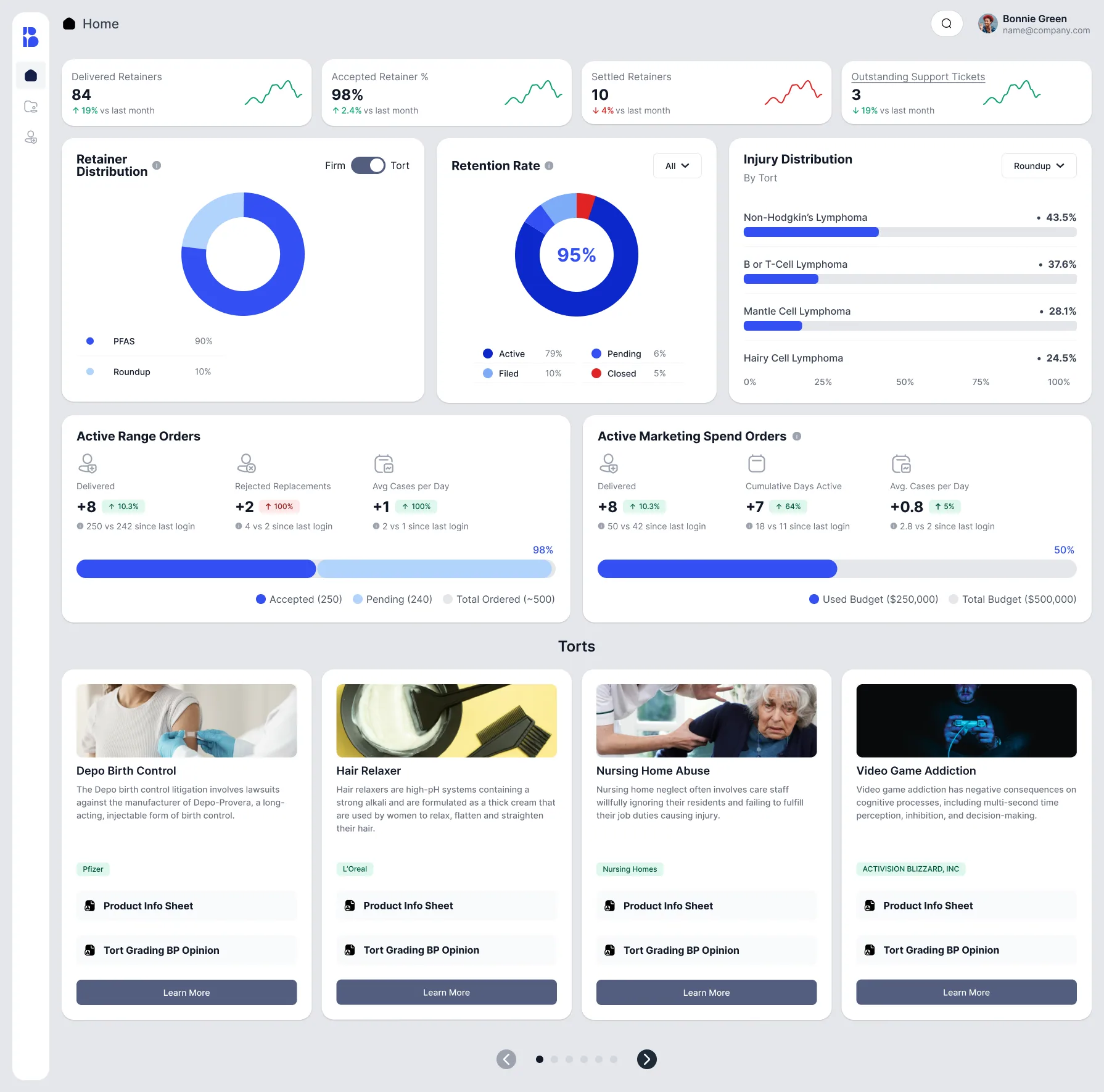
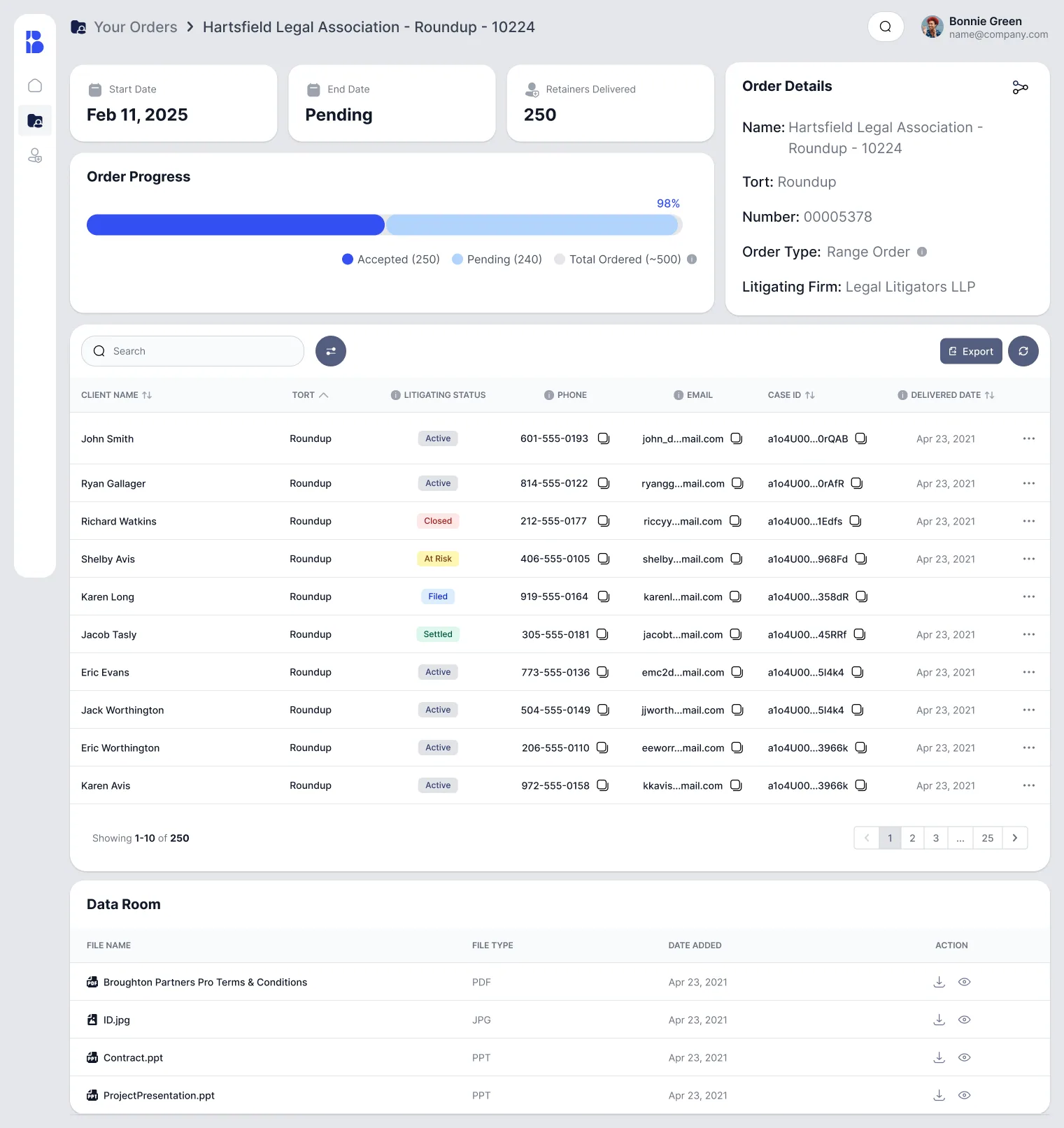
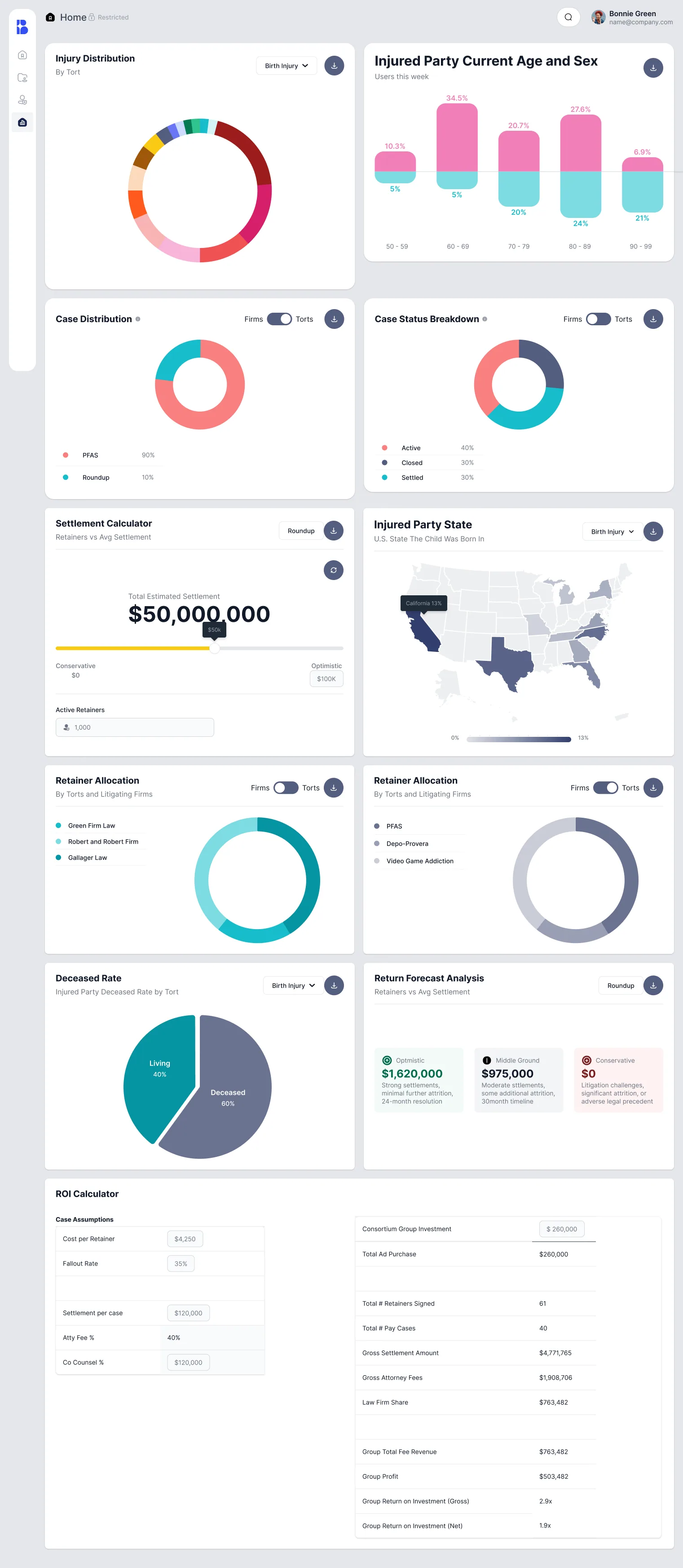
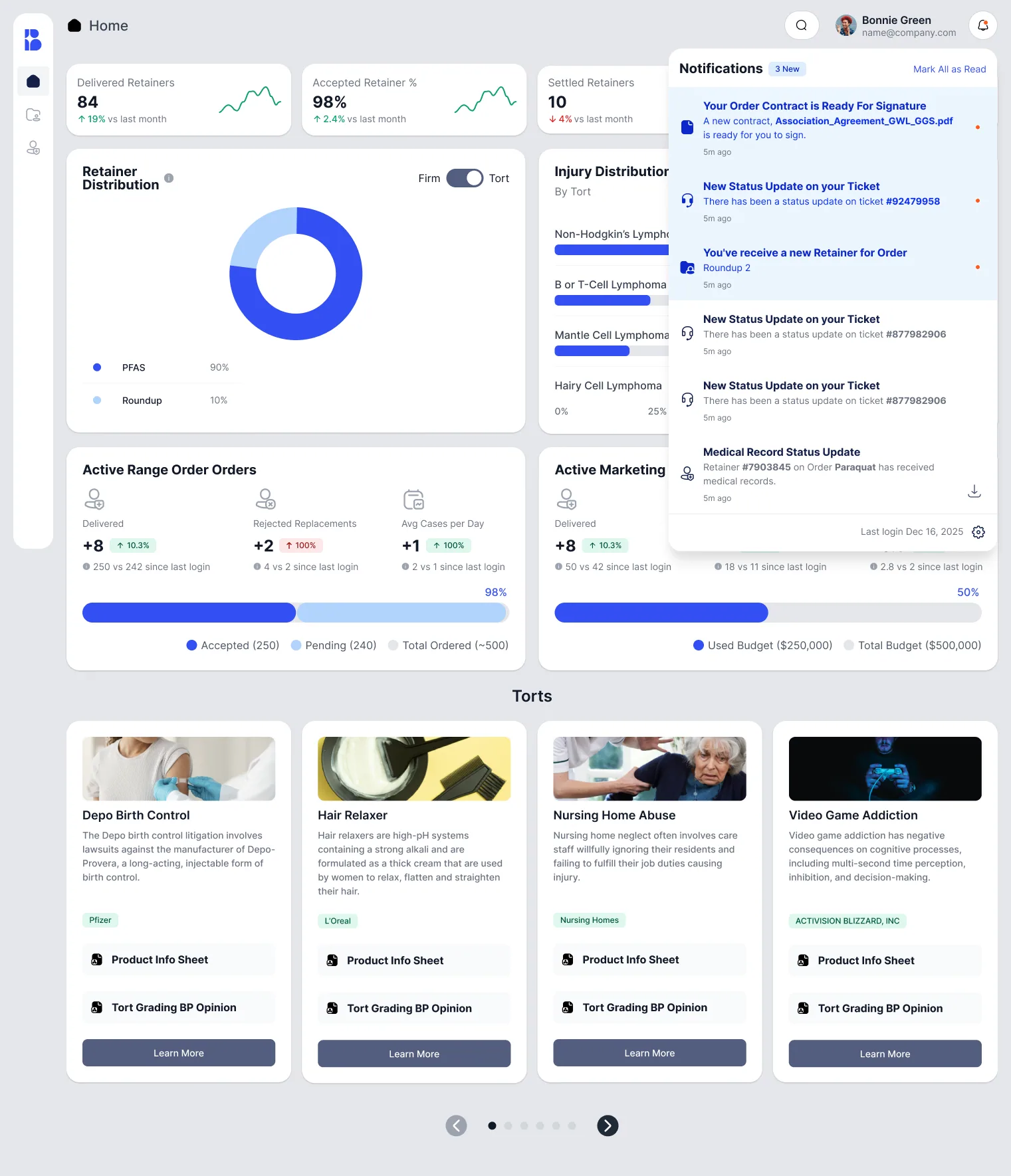
The home page now starts with what partners check the most: delivered and accepted retainers compared to last month, retention rate, retainer and injury distribution, and order progress split into accepted and pending. On the order pages you can see the funnel, pacing and timestamps behind every number, and the graphs animate as the data loads.
Analytics for investors
Non-lawyer partners get their own analytics without any claimant data. Injury and case distribution, age and state census, a settlement calculator, a return forecast and an ROI calculator so they can see what their investment is doing.
Tables
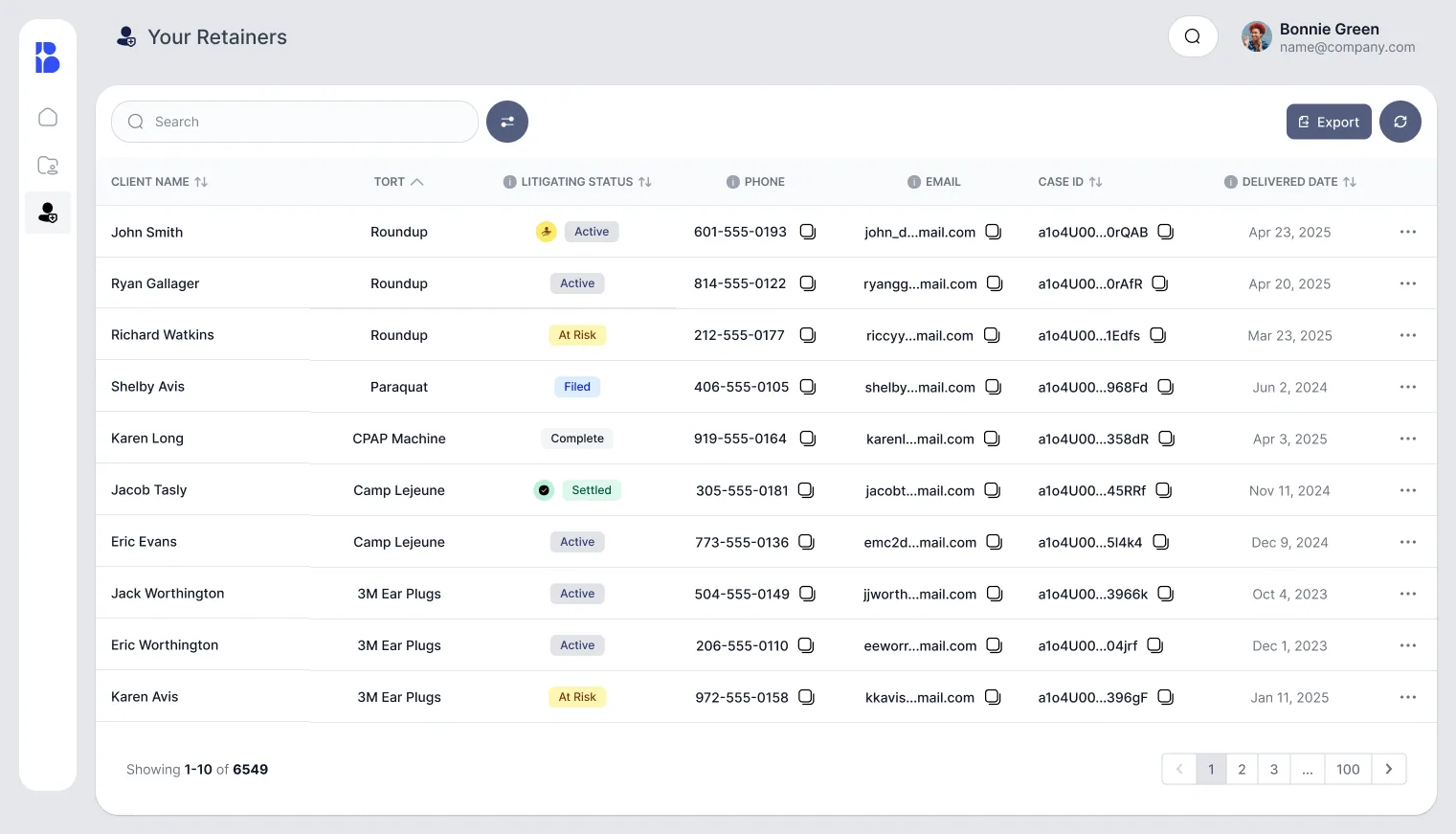
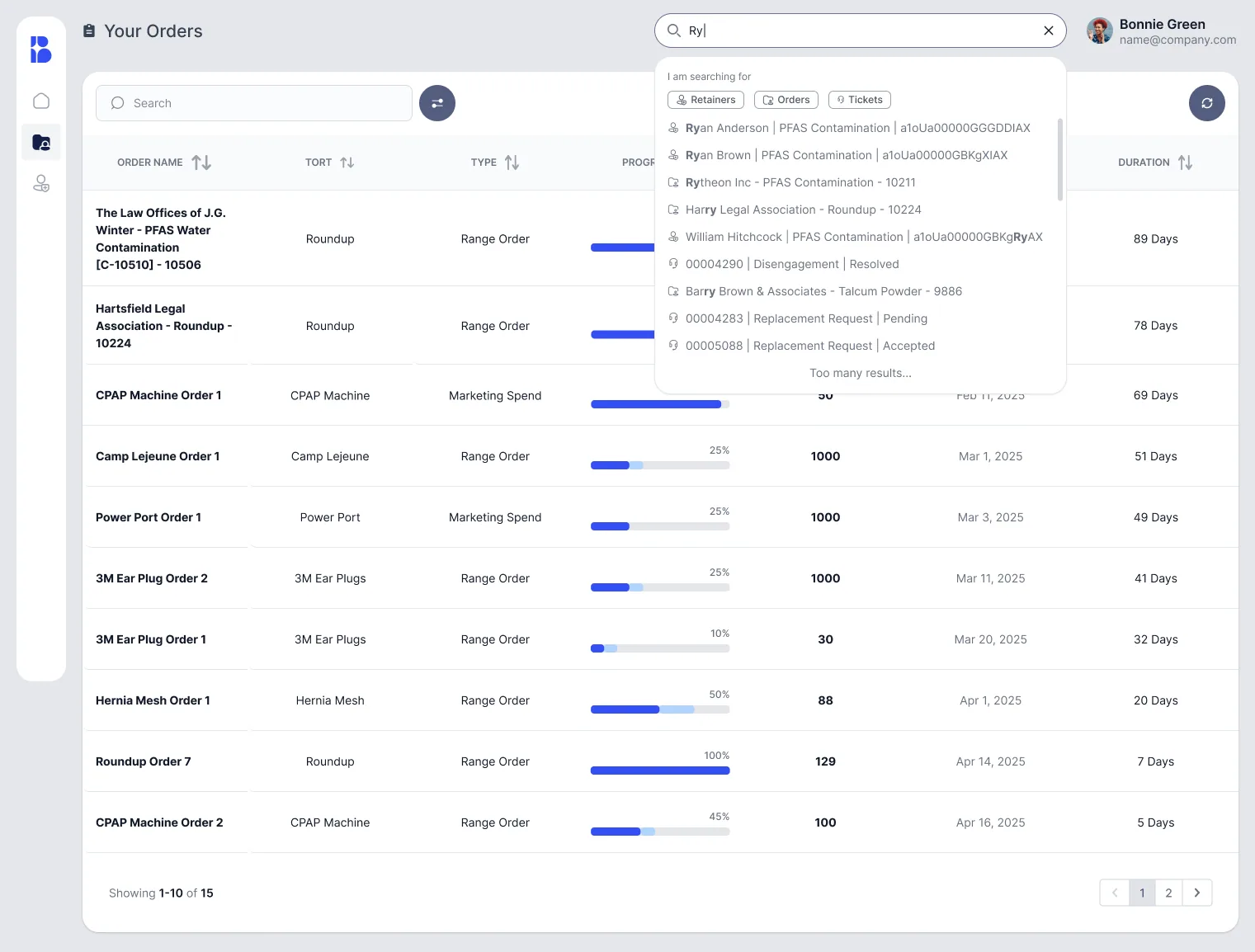
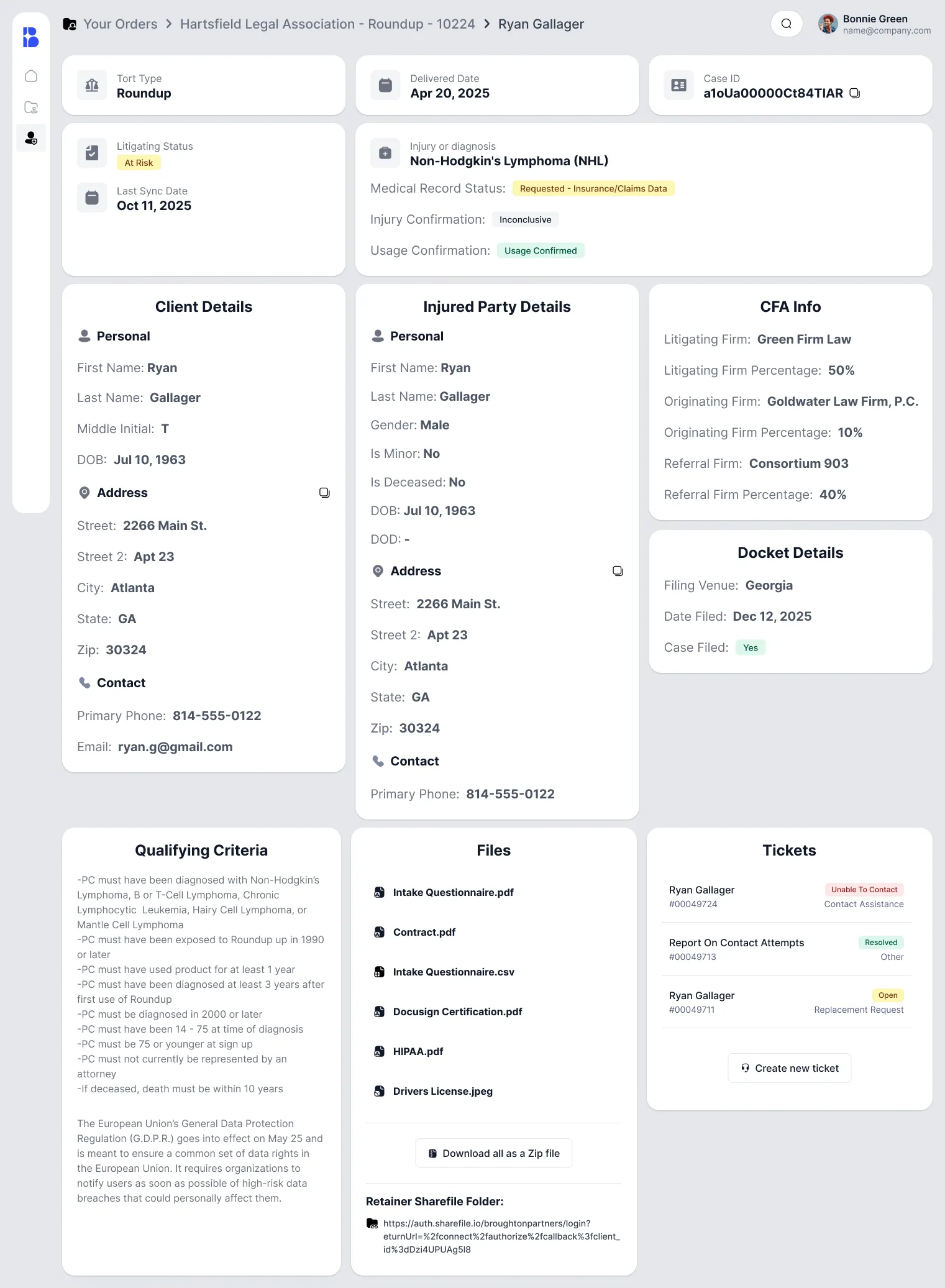
Tables got most of the microinteractions. Sortable columns, filters, litigation status badges, copy buttons on contact details, tooltips explaining each field and timestamps for every event. Click a row and it opens the full retainer details with all its documents.
Help desk
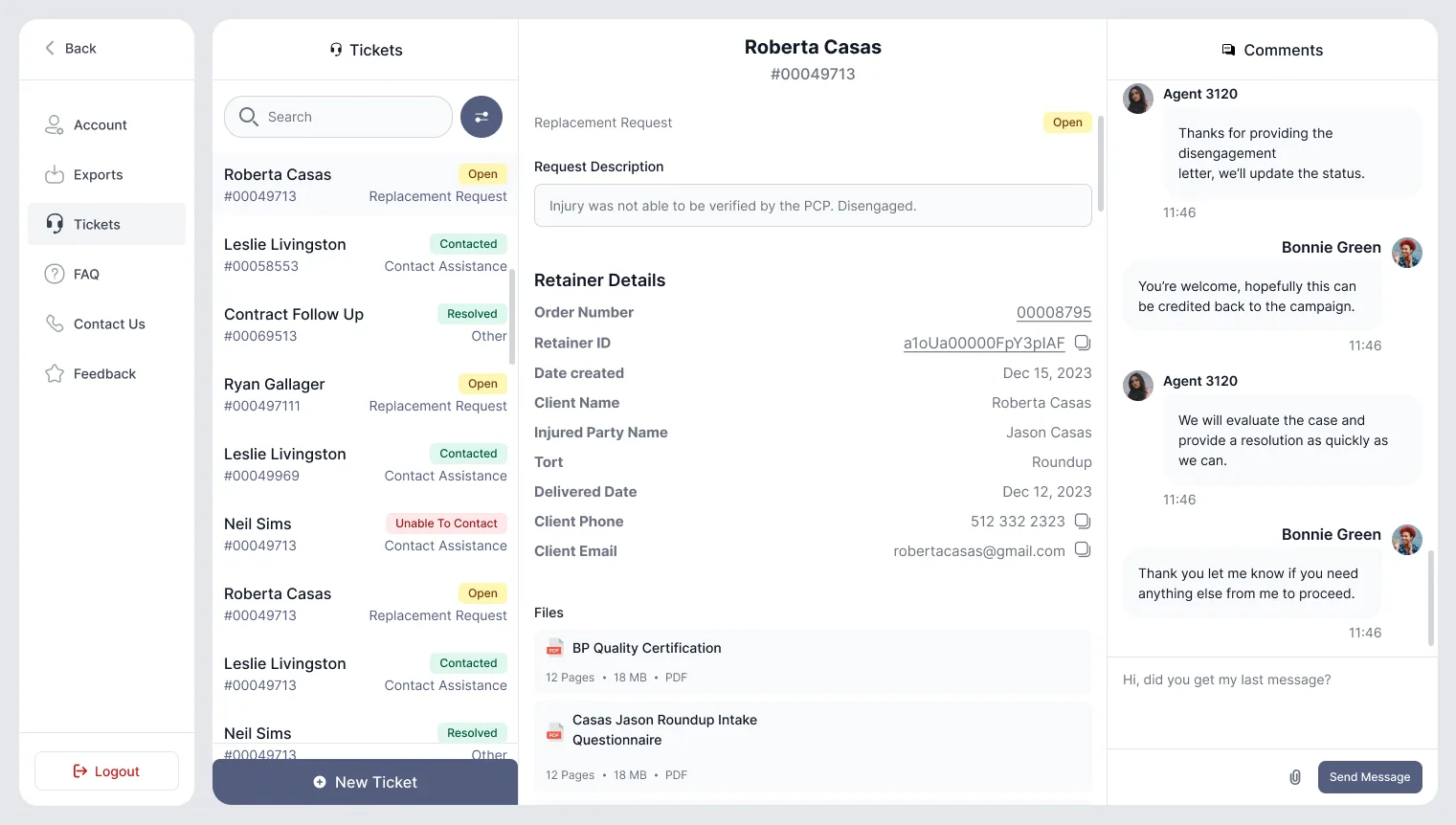
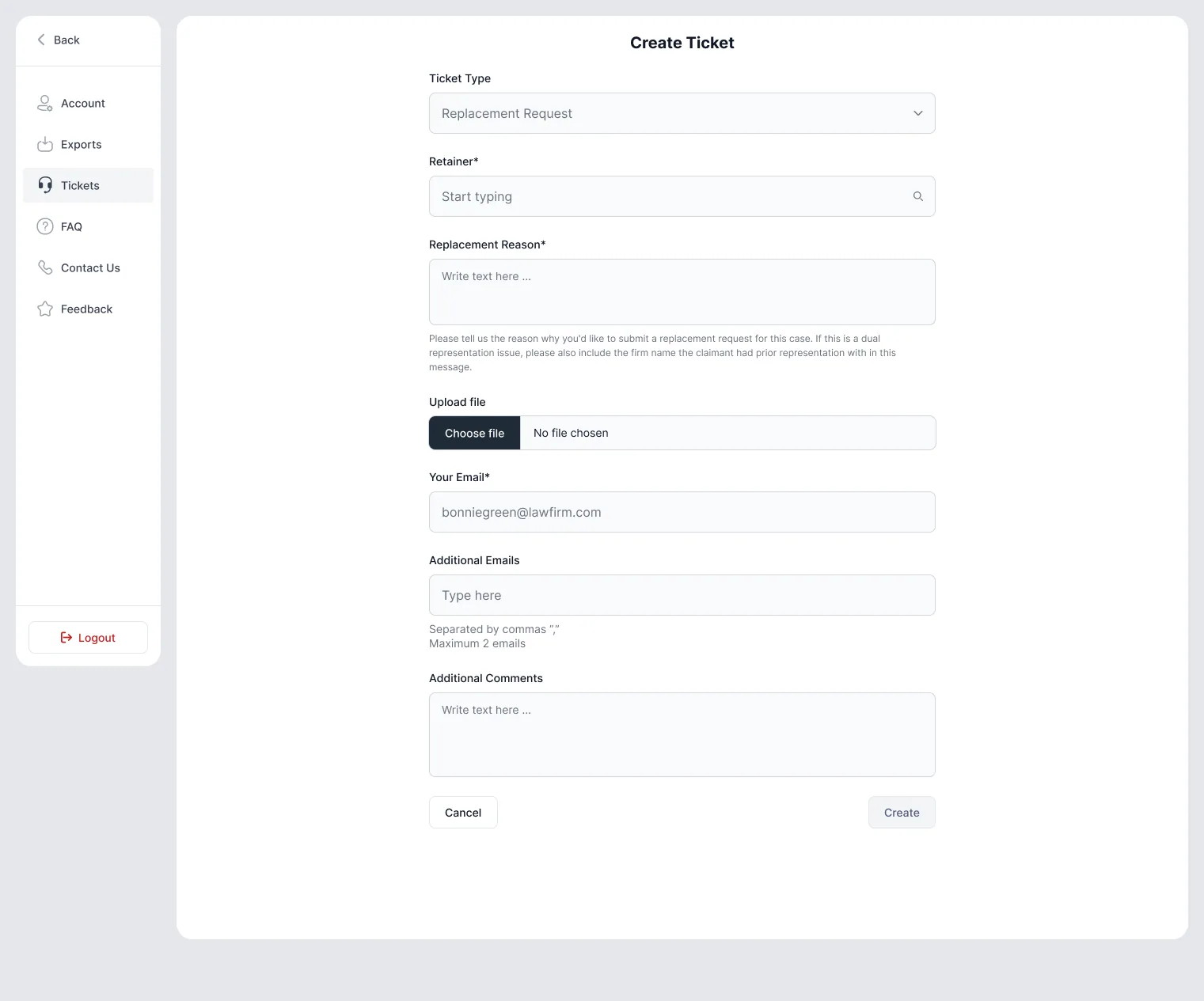
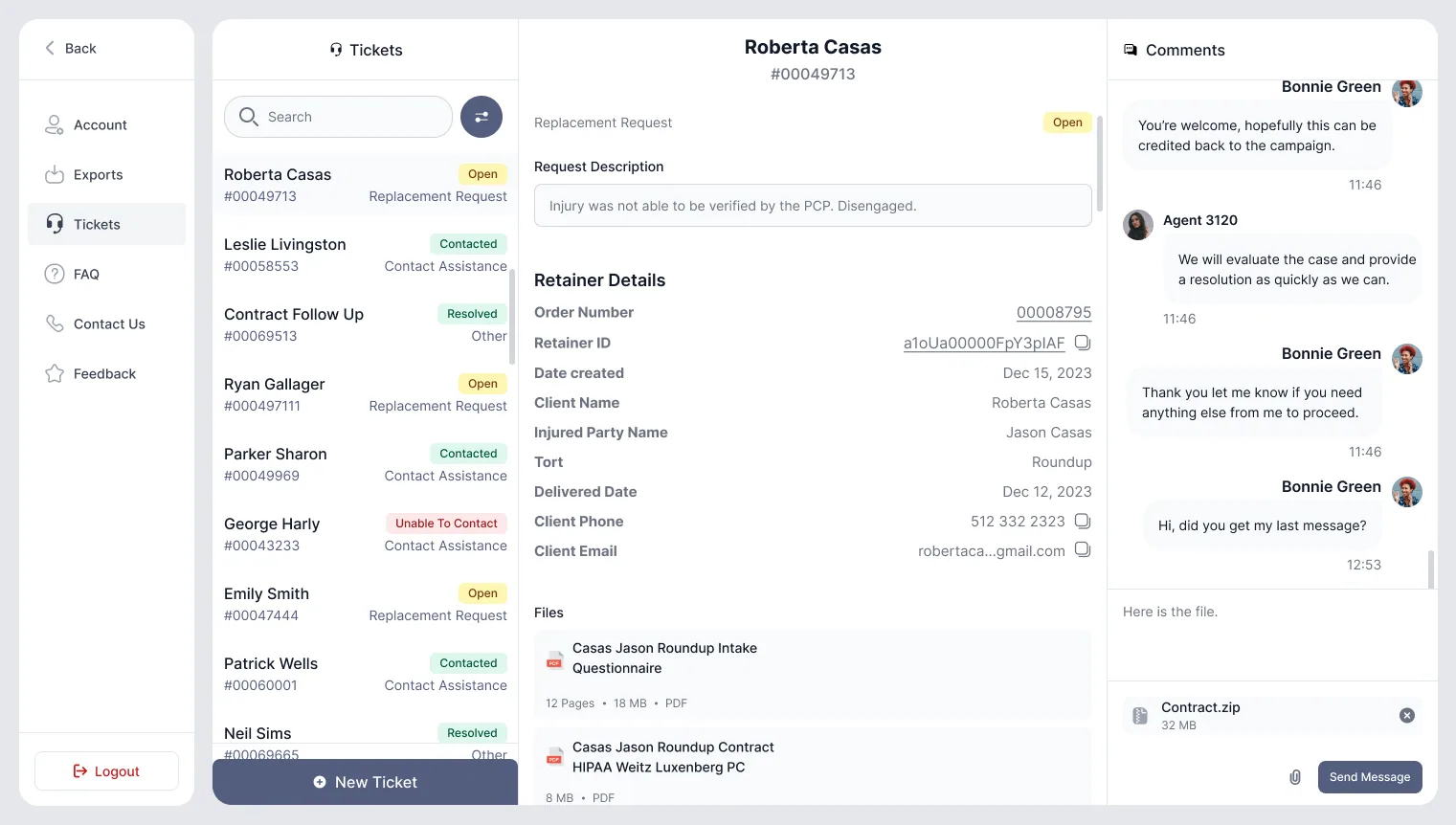
The new ticket section replaced all those email threads. Firms can open a replacement, contact assistance, disengagement or general request with the case attached, follow open and past tickets, chat with the support team in the same thread and upload documents like disengagement letters.
Notifications
A notifications centre and toasts let users know when something changes, like a delivered retainer, a reply on a ticket or a replacement. No more refreshing the orders page to see what’s new.
Prototype
We prototyped the whole dashboard in Figma, every flow, empty state, filter, toast and modal. Users could click through it during testing and developers could see exactly how each interaction should work before writing any code.
What I’ve learned
Fixing the foundation before adding new features made everything after it a lot faster. Once every screen was on the same design system, a new dashboard or ticket flow was just putting pieces together. And 15 minutes with a real partner settled discussions that could have taken weeks in a meeting room.